
What a month with cent4cent looks like.
Bring the month in, answer a question or two, and see exactly where you stand. The pictures on this page are from the sample book, where every name and figure is made up.
Follow one line through.
Six transfers to a friend, from the bank statement into your books. It’s the kind of line a budgeting app has to guess at, and it shows what cent4cent does instead.
- On the statement 03 JUN TRANSFER TO S PATEL −85.0017 JUN TRANSFER TO S PATEL −62.4002 JUL TRANSFER TO S PATEL −71.00and 3 more …Six transfers in all −412.00
- What the statement can’t say
Six transfers to the same person. Whether that was your money, a share of the rent, or money you covered for him isn’t written anywhere.
- So it asks you
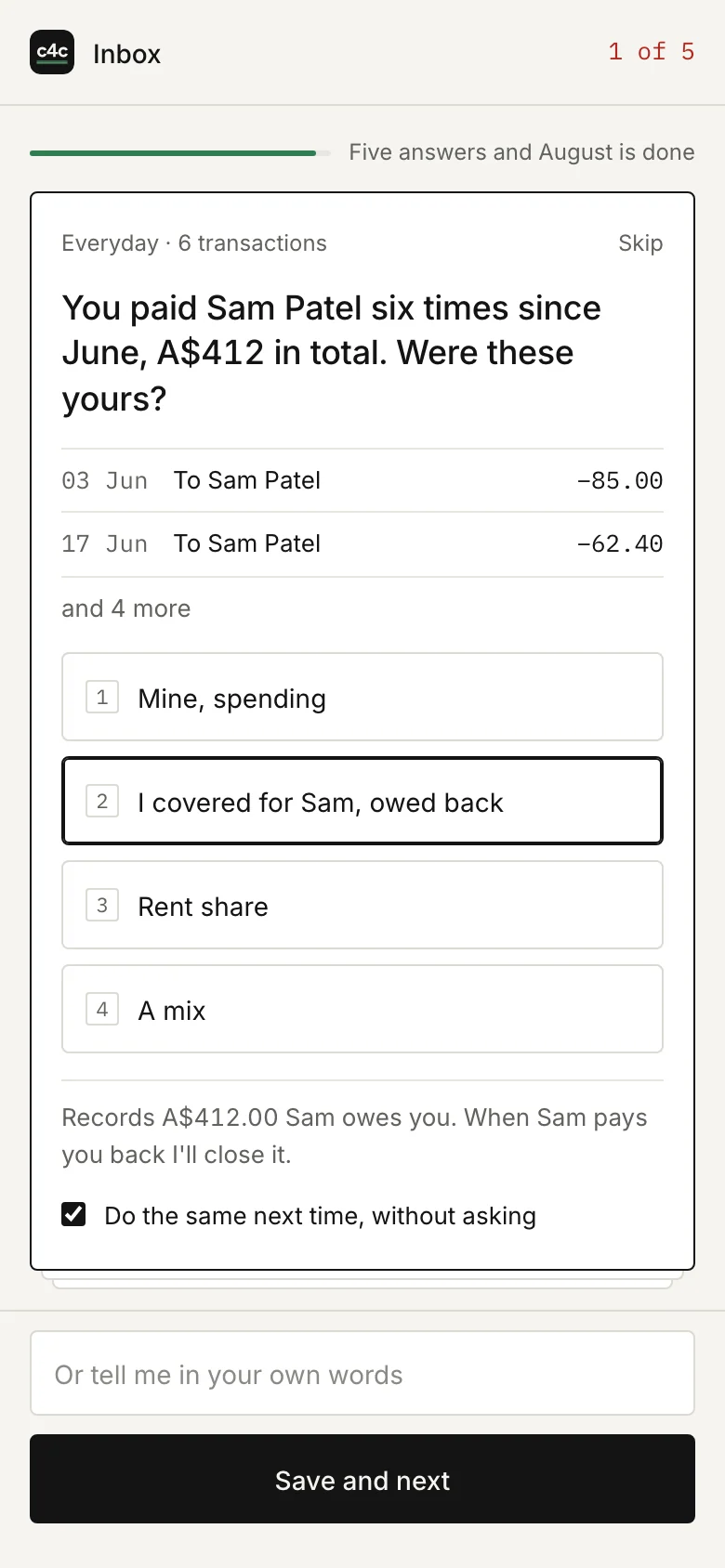
You paid Sam Patel six times since June, A$412 in total. Were these yours?
- Mine, spending
- I covered for Sam, owed back
- Rent share
- A mix
- What goes in your books Sam owes youA$412.00
A rule, in your wordsTransfers to Sam are money I covered, to be paid back.
- When Sam pays you back
The A$412.00 arrives, is matched to what he owed, and the figure closes. None of it was ever counted as your spending, or as income.
Bring the month in.
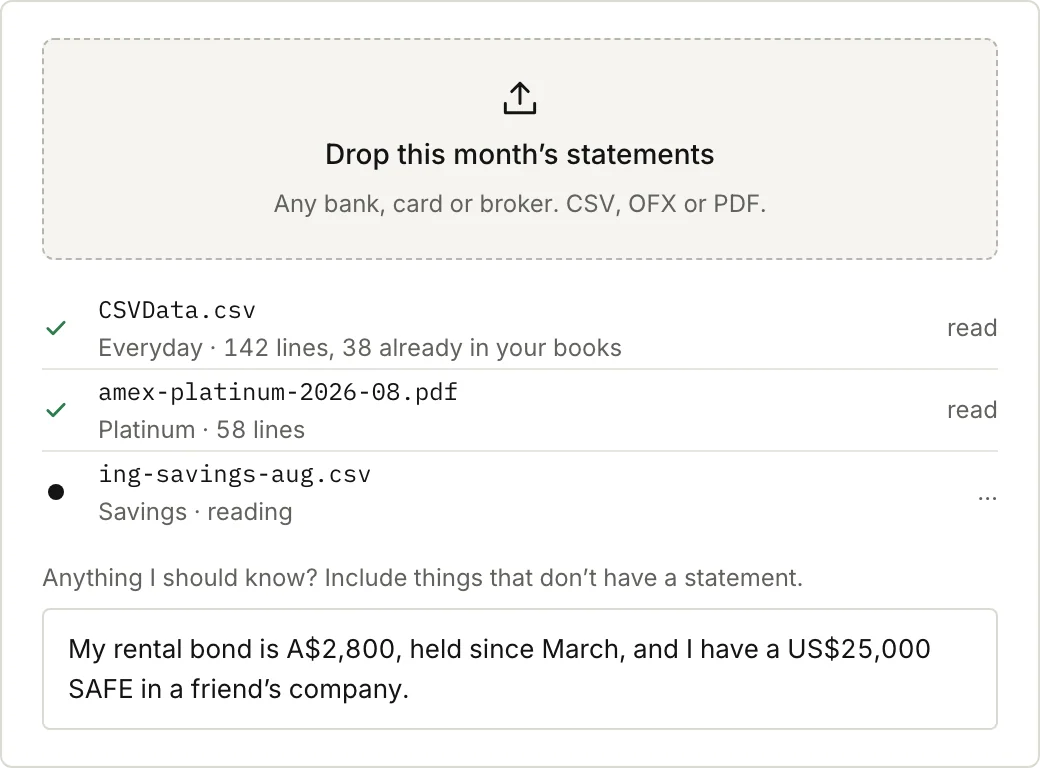
Download the month from each bank, card or broker, in whatever format they give you, and drop it all in at once. Each file finds its own account, or proposes a new one for you to name.
Anything without a statement, you say in a sentence: “My rental bond is $2,800, held since March.” It becomes an account at that figure, marked as your figure.
In the appEveryday · CBA: 142 lines, 1 to 31 August. 38 were already in your books.
Answer the few questions only you can.
Most lines are filed and explained in a plain sentence. Some can only be settled by you: whose dinner that was, whether a booking is for a trip later on, whether a work expense needs paying back to you, or whether transfers to a name it hasn’t seen before go to an account of yours.
They come as cards, never more than five at a time, biggest first, with the answer a tap away and room for your own words. Before you save, you see what the answer will record. Then it becomes a rule, so you aren’t asked twice.
In the appThis records A$412.00 Sam owes you. When Sam pays you back I’ll close it.
Read where you stand.
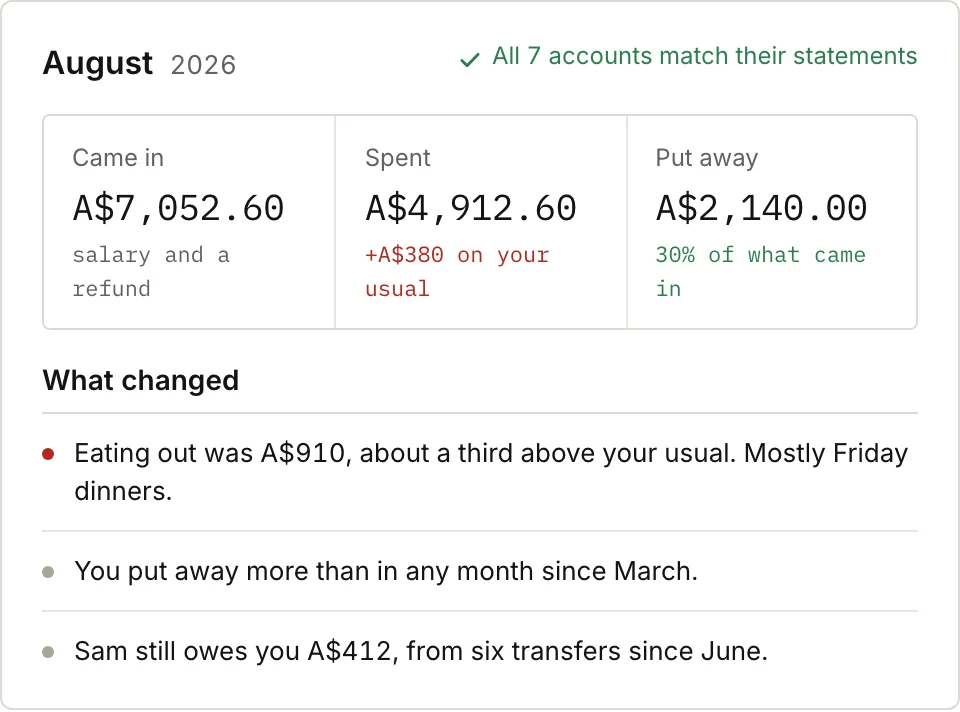
When the last question is answered, every account matches its statement and the inbox goes quiet. You get the month in three figures, what came in, what went out and what you put away, and a few sentences about what changed against your usual.
From then on you can set a goal in a sentence, and each month it tells you whether you’re on pace.
In the appEating out was A$910, about a third above your usual. Mostly Friday dinners.
Look closer, or ask.
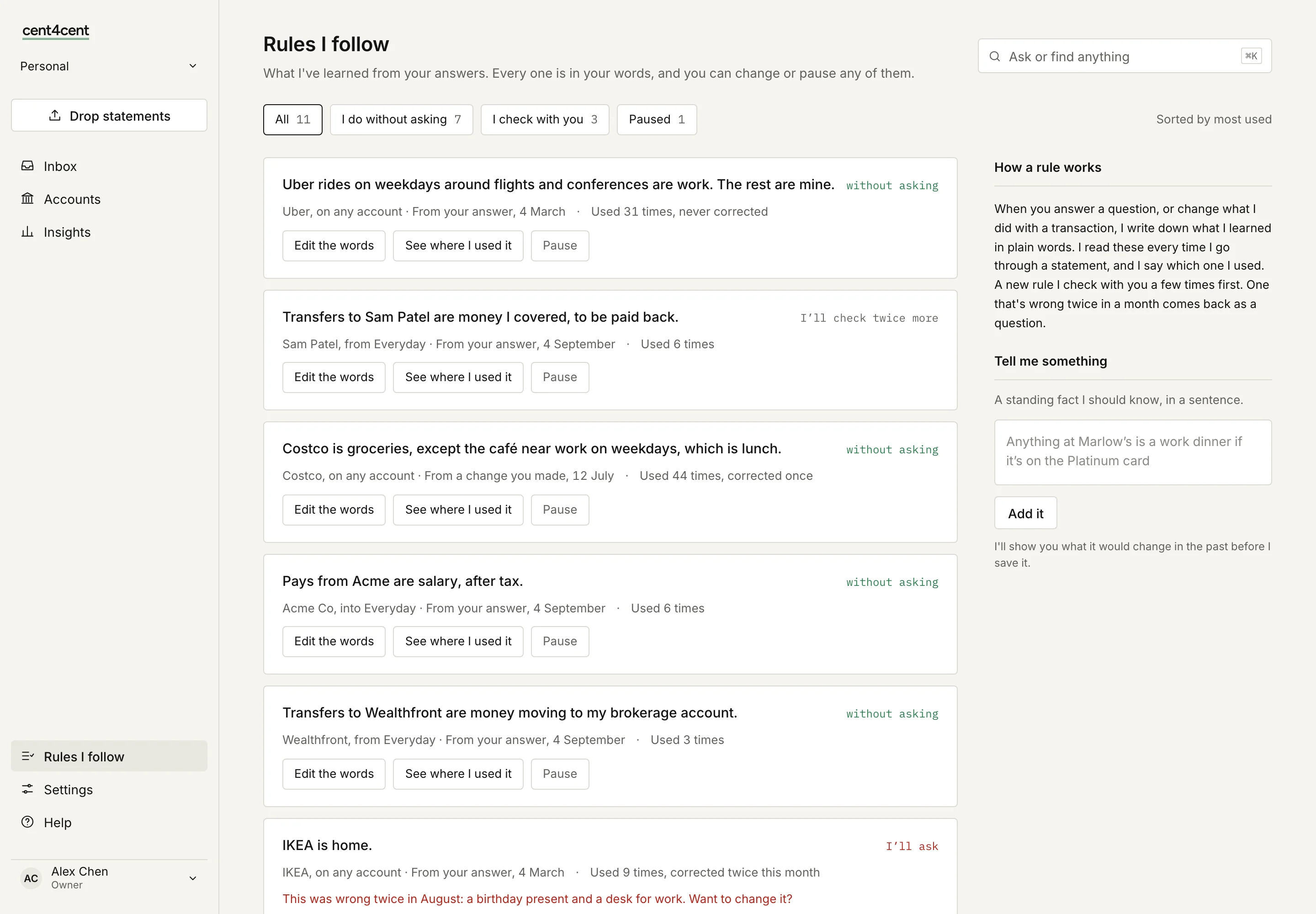
Open any account to see each transaction with a plain name, the bank’s own wording beneath it, and where it was filed. As your books grow it suggests sharper categories, like climbing split out of fitness, and applies them back through your history. Read the rules it has learned, in your words, and change or pause any of them. Or ask a question in plain words, in the app or from Claude or ChatGPT if you connect them, and get an answer drawn only from your books.
Before your first month.
How long does it take each month?
About ten minutes. Bring the month in, answer a question or two, and read where you stand. Every answer is remembered, so there are fewer questions as it gets to know you.
My bank only gives me PDFs. Is that all right?
Yes. A PDF is read line by line, and the lines are checked against the statement’s closing balance, so a line read wrongly shows up as a difference instead of slipping into your totals.
Can I bring in older statements?
Yes, including during your trial. Drop them the same way, as far back as your bank keeps them, and your history is built back month by month. The more months it has, the better it knows what your usual month looks like.
What if I skip a month?
Nothing breaks. Drop both months’ statements next time. Lines it has already seen are skipped, and each account is checked against each statement.
For the technically minded
What’s under the floorboards.
The books are double-entry, kept the way Beancount keeps them. Every entry balances in each
currency. Nothing posted is ever edited: a correction is a reversal that leaves a trail. Each
statement’s closing balance is stored as a check the books have to pass. Beancount itself is
the referee: the export is checked with bean-check on every change to the
code, and a balance it disagrees with stops the release. Export the whole book as Beancount
text any time.
See your own month in a few minutes.
14 days free, no card needed. Then A$10 a month or A$100 a year, and your books are yours to export at any point.